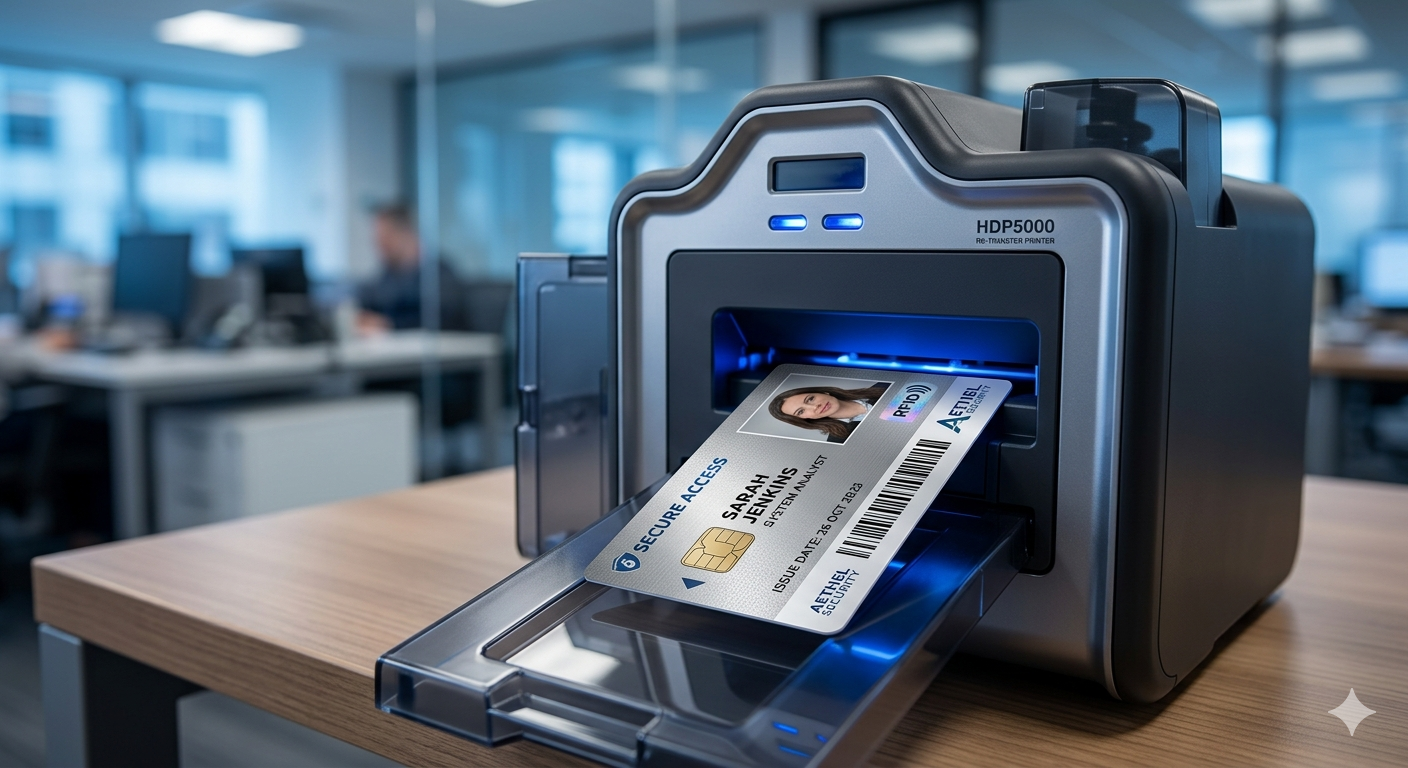
Printing on RFID cards works much like printing on plain PVC, but the embedded chip and antenna change a few rules: keep heavy graphics and punches away from them, handle cards gently and confirm the card type your reader expects. Contact us before ordering and we'll help you check compatibility.
Need cards soon? Start your design on the order page. Orders placed before the 1 PM ET cutoff go into same-day production. Shipping time depends on the method you choose at checkout.
We review every order before it prints.
Last updated: November 5, 2026
What an RFID card is
An RFID card is a plastic card with a small chip and an antenna embedded between its layers. A reader powers the chip through radio waves and reads its data when the card is held nearby. From the outside, many RFID cards look like ordinary white PVC cards, which is why it is easy to forget the electronics inside when designing them.
How printing differs
The surface of an RFID card can be very slightly uneven where the chip sits. Direct-to-card printing over that area can show small gaps or light spots. Retransfer printing, which prints onto a film that is then bonded to the card, handles uneven surfaces better. Design choices can also help.
Do: find out where the chip sits
Card makers usually indicate where the chip and antenna are. Keep photos, names and key text away from the chip area so small surface variations do not affect them.
Do: confirm the card type first
RFID covers several frequencies and formats, and readers only read the ones they are set up for. Before ordering, find the reader model or check an existing working card. Contact us before ordering and we'll help you check compatibility.
Do: plan the layout around the technology
Leave the chip zone for background color or simple graphics. Put the photo and name where the surface is flat. If a card number is printed, place it where it stays readable.
Don't: punch holes through the antenna
Slot punching an RFID card in the wrong place can cut the antenna and keep the card from reading. Use cards that come pre-punched in a safe location, or use a holder instead of a punch.
Don't: bend, heat or overload cards
Bending can crack the chip connection, and high heat can damage both card and chip. Store cards flat at room temperature and avoid laminators unless the card is rated for them.
Don't: assume all white cards are the same
A blank RFID card and a blank PVC card look alike. Keep them clearly labeled and separate so the wrong stock does not end up in a batch.
Do's and don'ts at a glance
Do: confirm card type, locate the chip, design around it, use holders, store flat and test a sample card with your reader.
Don't: punch through the antenna, print key details over the chip, expose cards to heat, bend them or mix blank stock.
Common RFID card types, in general terms
- Low-frequency proximity cards: commonly used for door access; they mainly transmit an ID number.
- High-frequency smart cards: can store more data and are used in multi-purpose campus or office cards.
- Ultra-high-frequency cards: read at longer ranges, often used in parking or asset tracking.
These are general industry categories. Readers are usually built for one category, so the card must match.
Choosing holders for RFID cards
Holders protect RFID cards from bending, which is the most common cause of damage. Rigid holders give the most protection; soft sleeves protect the surface but not against bending. Open-face holders let people tap the card without removing it. Avoid metal clips that press directly on the chip area.
Storing and handling blank RFID stock
Keep blank RFID cards in their original packaging, flat, at room temperature and away from strong magnets and heat sources. Handle them by the edges to keep dust and oils off the print surface. Label boxes clearly so they are never confused with plain PVC stock during an order.
Planning a mixed program
Some organizations give RFID cards only to staff who need reader access and plain PVC cards to everyone else, such as visitors or volunteers. Use one shared design so both card types look like part of the same family, and change only the color band or label. Keep a record of which people hold RFID cards so lost cards can be deactivated in the right system quickly.
When to replace an RFID card
Replace an RFID card when it no longer reads reliably, when the print over the chip has worn away, when the card is cracked or bent, or when the holder's details change. Deactivate the old card number in the system that uses it before handing over the new card, and destroy the old card rather than keeping it as a spare.
Testing before a full run
Before printing a large batch, print and test a few sample cards with your actual readers. Check both the print quality over the chip area and that the card reads normally. Orders placed before the 1 PM ET cutoff go into same-day production, and shipping time depends on the method you choose at checkout.
Related reading
- Start your card order
- ID cards for access control systems
- how PVC ID cards are made
- caring for PVC cards
Frequently asked questions
Can you print a photo on an RFID card?
Yes. Keep the photo away from the chip area for the cleanest result.
Will printing damage the RFID chip?
Normal card printing is designed for these cards, but heat, bending and punching through the antenna can cause problems.
How do I know which RFID card my reader uses?
Check the reader model, ask your facilities team or test an existing working card. Contact us before ordering and we'll help you check compatibility.
Can I slot punch an RFID card?
Only in a location that avoids the antenna. Pre-punched cards or holders are safer options.
Is retransfer printing better for RFID cards?
It often handles the slightly uneven surface over the chip better than direct-to-card printing.
Should I test sample cards first?
Yes. Test a few printed cards with your readers before a full run.
Ready to get started?
When your design and names are ready, start your order. Orders placed before the 1 PM ET cutoff go into same-day production, and shipping time depends on the method you choose at checkout. Start your order now
Also see our sister brand WorkIDCard for multi-site employee badge programs.
We review every order before it prints.